
Nothing annoys users faster than a site that vanishes without a word. They refresh. They message support. Some go hunting for links in chat groups, which is exactly where scammers are waiting.
Downtime comes with running any website. Silence doesn’t have to. Clear website availability updates keep users calm, take pressure off your support team and stop people from wandering onto fake pages. Here’s what a good notice includes and when to send it.
Why Users Go Looking When You Go Quiet
When a page won’t load, users want one answer: is it me or is it you? If your brand doesn’t answer, they’ll find someone who will. For a platform like UFABET, that’s why the Latest UFABET access link (ทางเข้า UFABET ล่าสุด) needs to live on one official entrance page that users trust and can find fast. One clear source beats ten rumors.
TechTarget’s guide to network downtime makes the same point from the IT side: tell affected users early, share the cause and expected duration, and keep updating as things change.
What Every Good Website Availability Notice Includes
A solid notice answers the questions users would otherwise send to support. Cover these six:
- What’s happening, in plain words. “Scheduled maintenance” or “We’re fixing a login issue.”
- When it started and when it should end, with the time zone.
- What’s affected. The whole site, just deposits, or only the mobile version?
- Where updates will appear, such as a status page or verified social accounts.
- How to reach support if something urgent comes up.
- A security reminder that you’ll never ask for passwords or codes in a notice.
That last one matters more than most teams think. Scammers copy maintenance messages all the time, so telling users what you’ll never ask for hands them an easy way to spot fakes.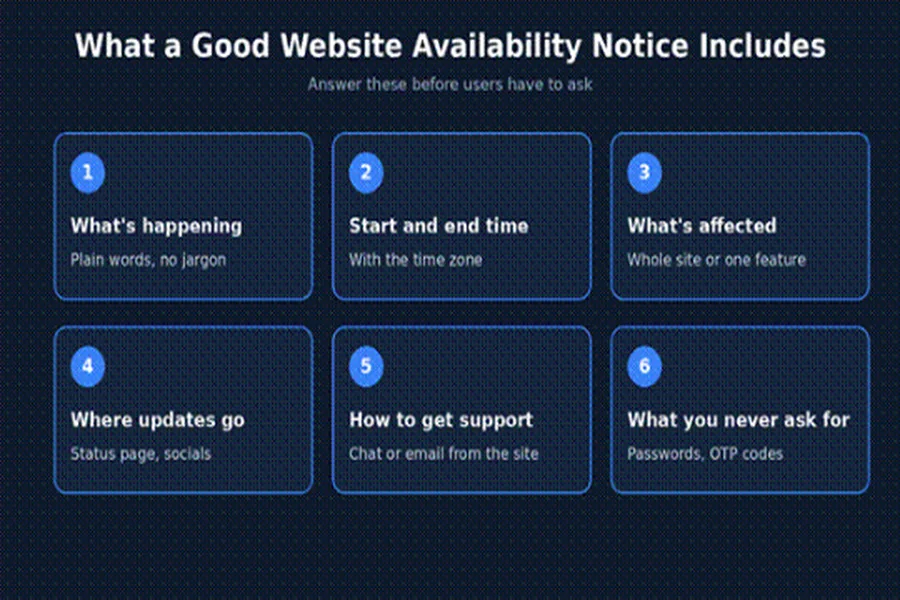
Timing: Before, During and After
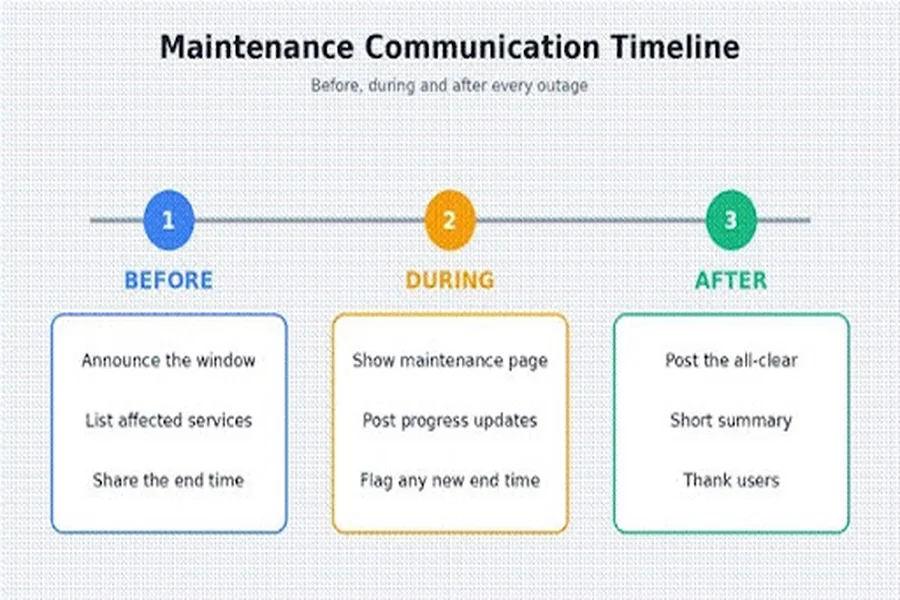
One notice isn’t enough. Users need to hear from you at three points:
| Stage | What to send | Where |
| Before | Planned window, affected services, end time | Site banner, socials, email |
| During | Progress updates and any change to the end time | Maintenance page, status page |
| After | All-clear, a short summary and a thank-you | Site banner, socials |
A post on Fyipe’s Medium publication about handling downtime well argues that deciding your channels and thresholds before an incident is what makes the difference. Pick now who posts updates and where, so nobody scrambles at 2 a.m.
Unplanned outages skip the “before” stage, so post the first update as soon as you’ve confirmed the problem, even if you don’t know the cause yet. “We’re aware and investigating” is a complete first message.
Point Users to One Trusted Entrance
During long outages or domain blocks, users need a safe way back in. Keep the official UFA entrance (ufa entrance) page current and link to it from every notice, so nobody has to guess. Mention it on your maintenance page, your status page, and your social posts. Consistency is what makes a source feel trustworthy. Host your status page somewhere separate from the main site, too. A status page that crashes along with everything else helps nobody.
Keep the language human
Skip the jargon. “Our servers are getting an upgrade, and we’ll be back by 3 p.m.” lands better than “Infrastructure optimization in progress.” If you miss your own deadline, say so and give a new one. People forgive a delay far more easily than a vague message.
Closing the Loop
When service is back, say it clearly and thank people for waiting. If some users still can’t connect because of local blocks, point them to the UFABET alternative access link (UFABET ทางเข้าสำรอง) published on the official entrance page, and nowhere else.
Frequently Asked Questions
How early should a maintenance notice go out?
For planned work, a day or two ahead is common, plus a reminder shortly before it starts.
Should a maintenance page return a special status code?
Yes. A 503 tells browsers and search engines the downtime is temporary.
Do small sites need a full status page?
Not always. A site banner and a pinned social post can do the job, as long as users know where to look.
What’s the biggest mistake in outage communication?
Going silent. Even “we’re still working on it” beats saying nothing.
Final Thoughts
Good website availability communication isn’t complicated. Say what’s happening, when it ends, where updates live and what you’ll never ask for. Do that before, during and after every outage, and your users stay calm and safe even while the site is down.
